Pick List Generator
Batch-picking lists from your monday.com order board. No spreadsheets, no separate WMS.
Built for teams shipping 50–500 orders a day out of monday.com, where the pickers still walk the floor with paper or a spreadsheet printout.
Submitted for review on the monday.com marketplace — you can install it on your board today.
The problem
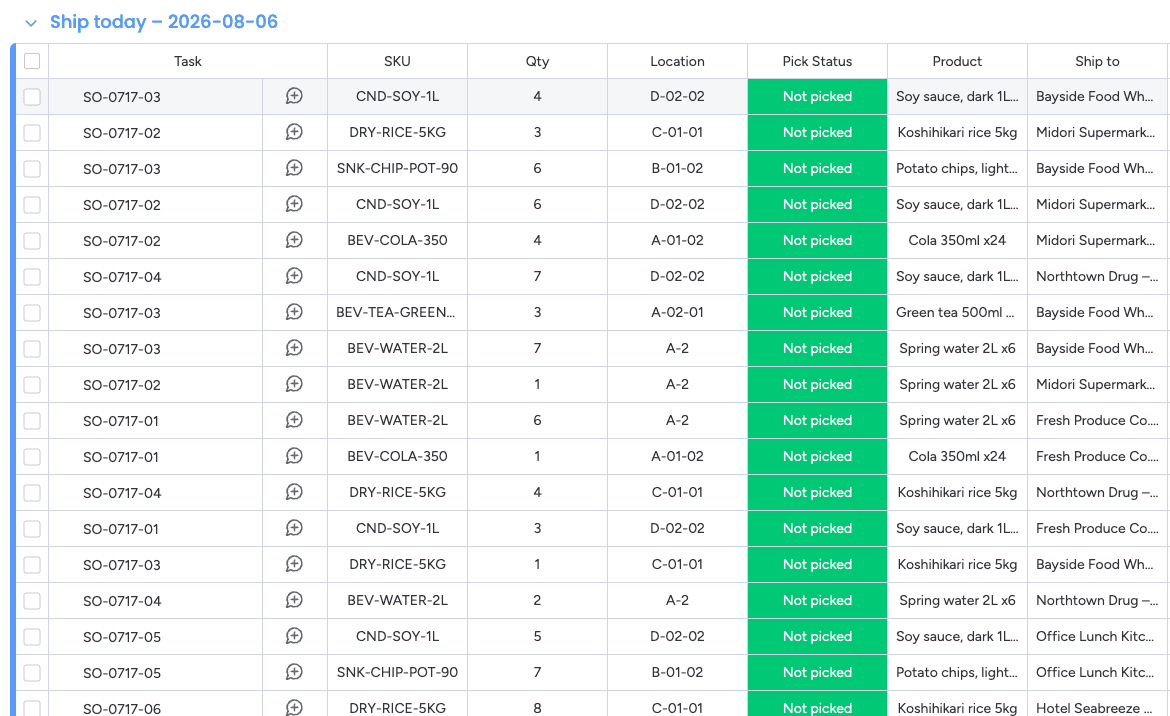
Picked order by order, one shelf gets visited once per order that needs it. On the board below, CND-SOY-1L sits in five separate orders — five walks to the same shelf, before anything has been packed.
Why teams use it
Fewer trips
Pick each SKU once for every order that needs it. The shipping day shown on this page folds 40 order lines into 10 pick lines — a quarter of the stops.
Faster routes
Pick lines are sorted by storage location, comparing the numbers by value rather than as text, so A-01-02 comes before A-01-10.
Less admin
One tap at the end of a list writes the picked status back to every order it covered. Nobody re-types anything into the board.
Safe on your board
The app reads your board and writes exactly one thing: the status of the orders in a finished list. Subitems are never touched.
Stops and resumes
Every check is saved as it is made, so a picker can put the phone down, reload, or hand the list to the next shift.
Print-ready
Clean printable lists for floors that run on paper.
How it works
- 1
Map your columns once. Only three are required — SKU, quantity and status. Location is optional but worth mapping, and the order reference falls back to your item name. It works whether an order is a single item or an item with subitem lines.
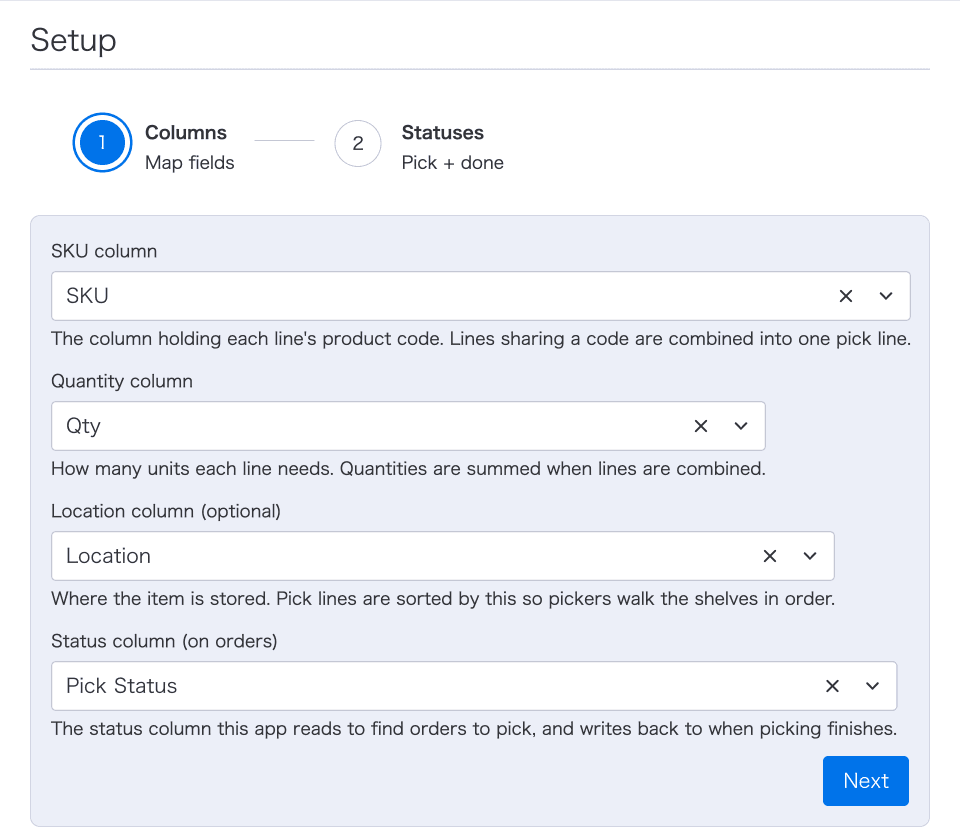
Setup runs once per board, and the settings are stored on the board itself. - 2
Choose the groups you want to work through. The preview counts the orders and order lines carrying your ready-to-pick status, and shows what they consolidate into, before you commit to anything.
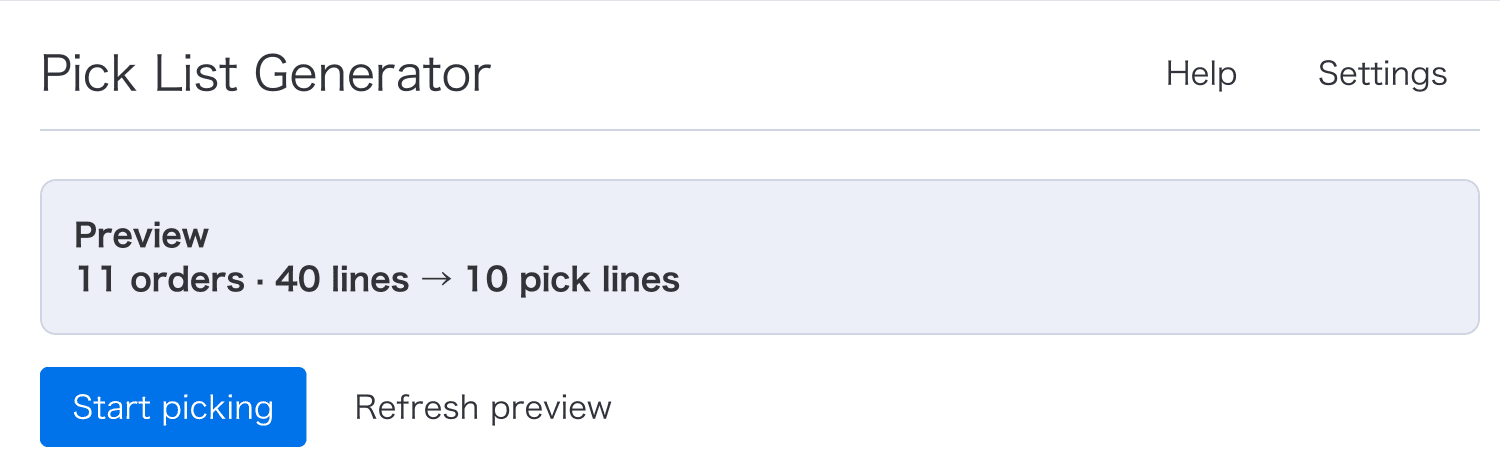
40 order lines across 11 orders become 10 pick lines — one line per SKU. - 3
Generate the list. The same SKU across every selected order merges into one pick line, the quantities add up, and the lines are sorted by location. A long list is split into waves of up to 500 pick lines, so no single list runs longer than one trip can carry.
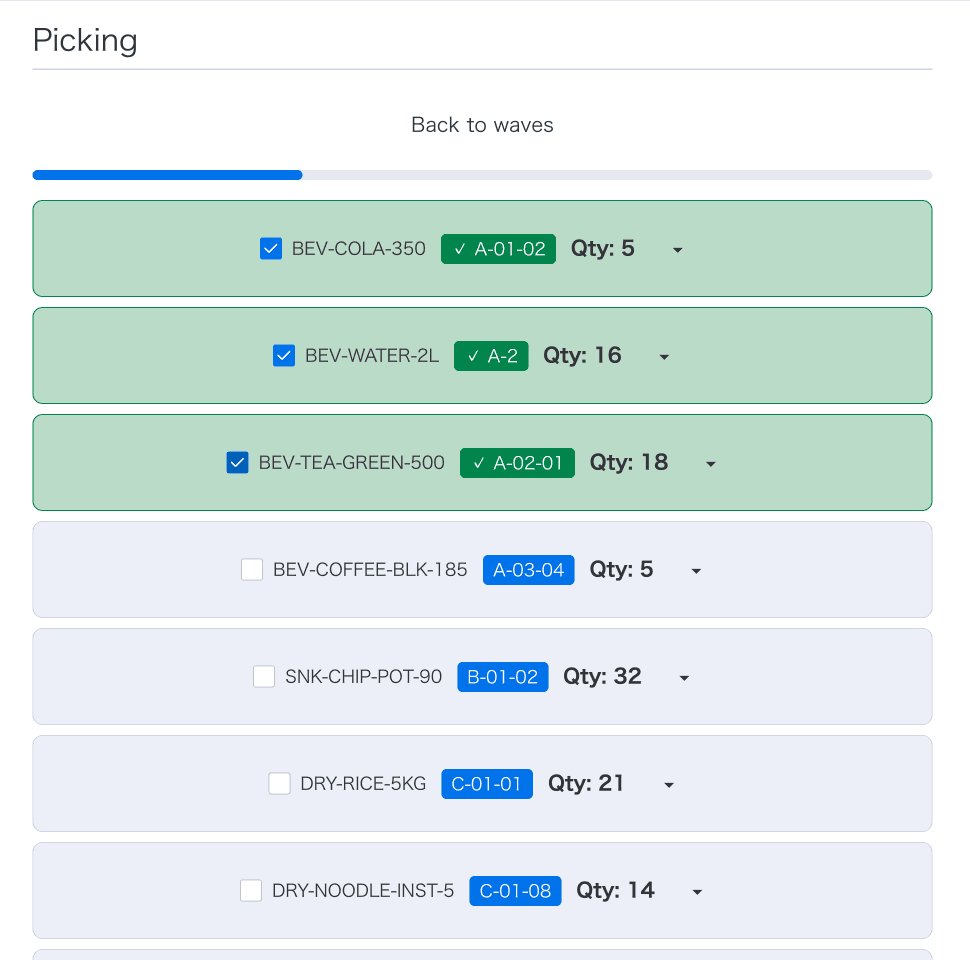
One wave: consolidated SKUs in walking order. - 4
Pickers check off each line on a phone or tablet. Tap any line to see which orders need that SKU and how many units each one takes — that is what your sorting station works from.
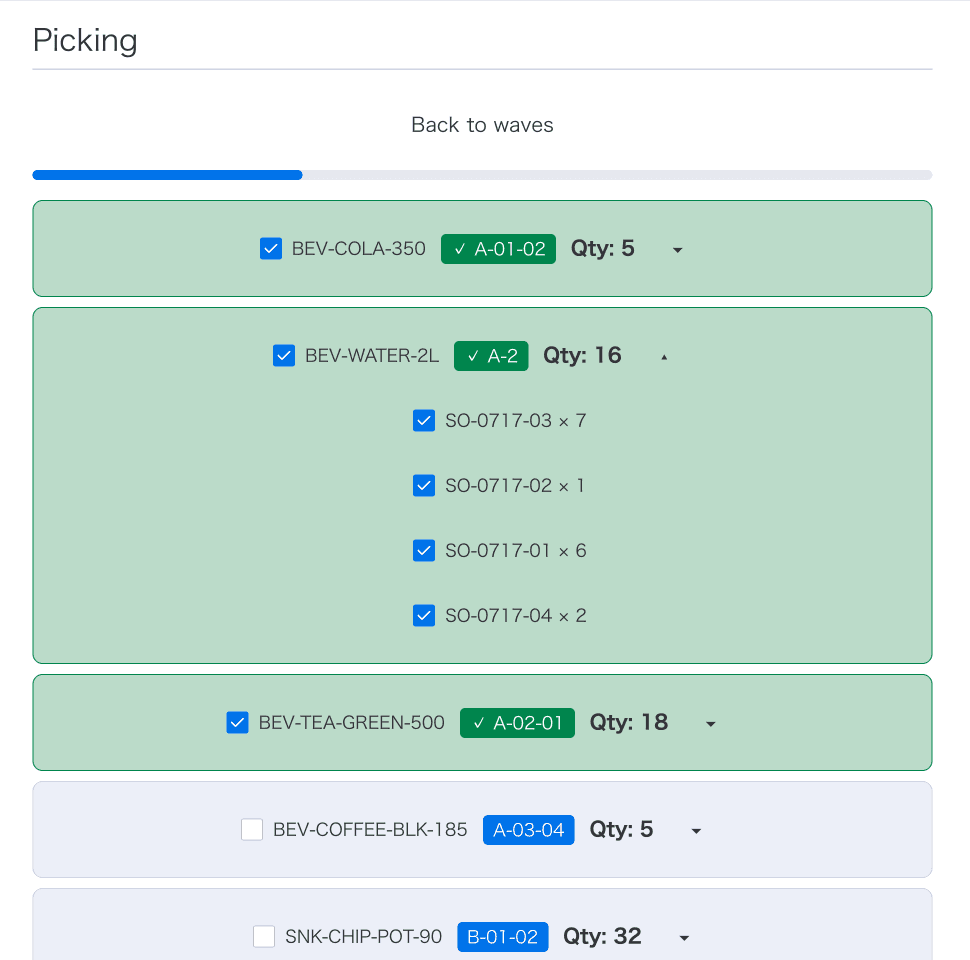
16 units of BEV-WATER-2L, broken down as 7 · 1 · 6 · 2 across four orders. Read-only. - 5
Complete the wave and the picked status is written back to every order it covered, in one batch. That is the only write the app makes.
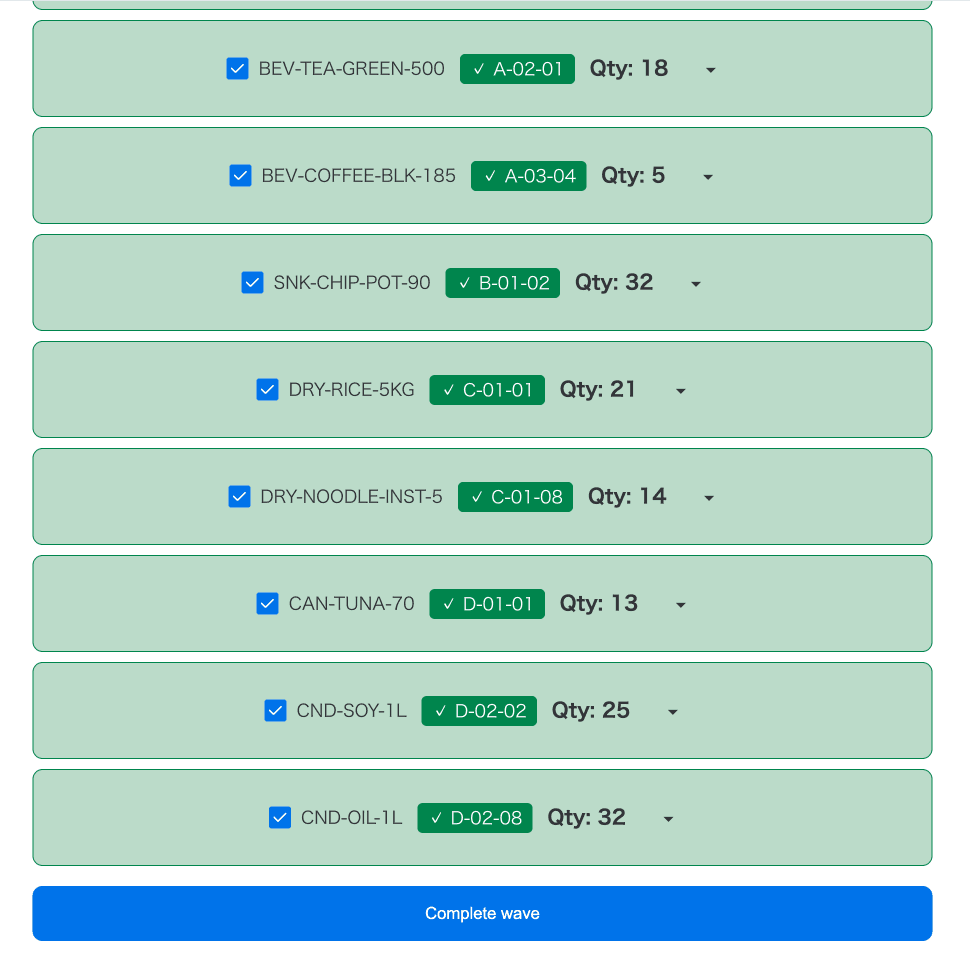
Every line checked, ready to complete.
Pricing
Free while the app is in its first release. If a paid plan is added later, it will be announced here and in the app before anything changes for boards already using it.
Try it on your own board
Add it as a board view, map three columns, and generate your first list in a few minutes.
Documentation & legal