 Local-first project notes
A workspace that stays yours.
A macOS-only notes & task manager for freelance developers, with your Markdown files as the single source of truth. No cloud, no account.
macOS 12+ · Apple Silicon / Intel · signed & notarized
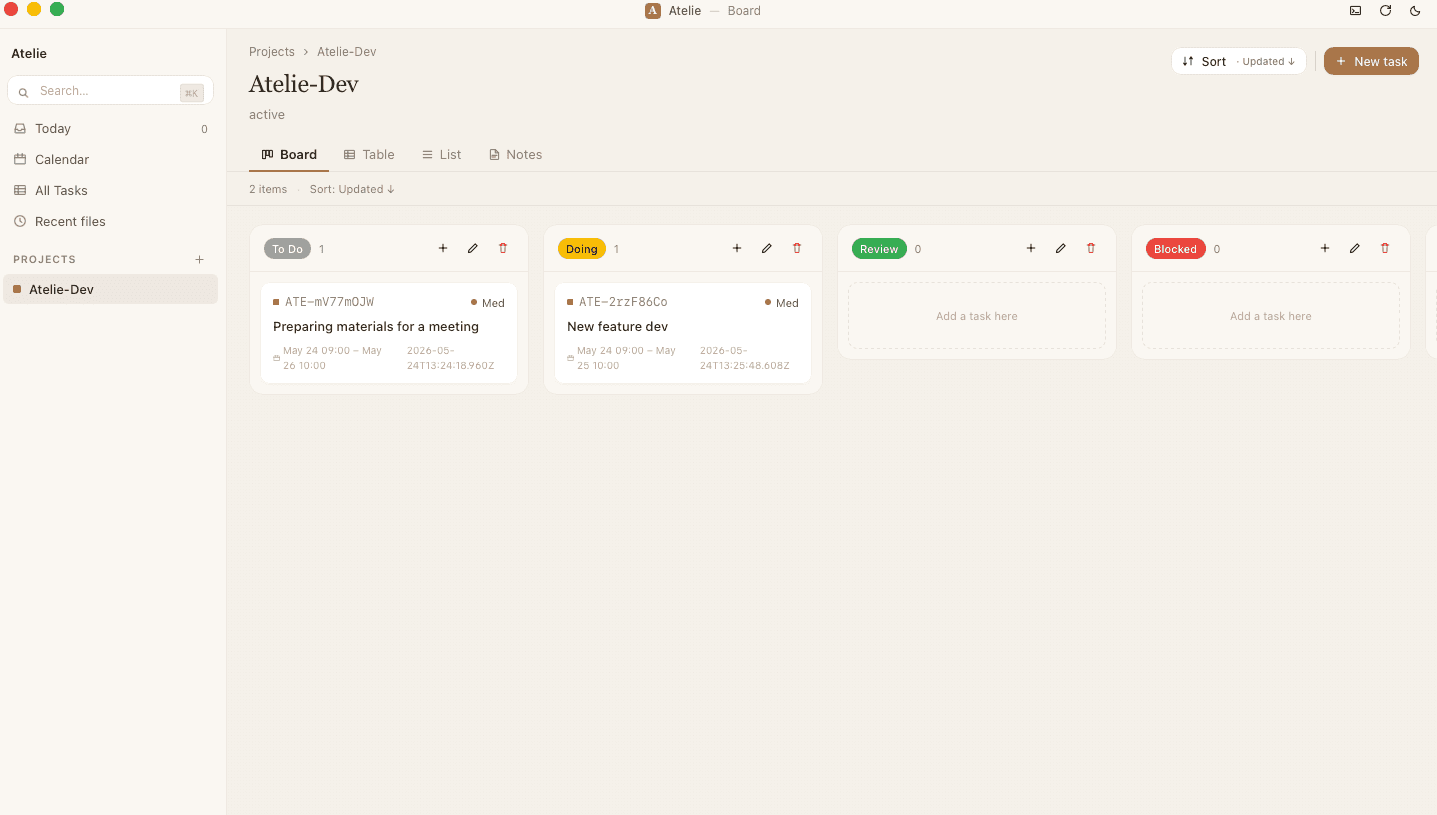
A quiet place to work, free of noise.
Atelie feels like a café table. No sync spinners, no flood of notifications — just today's work, quietly in front of you.
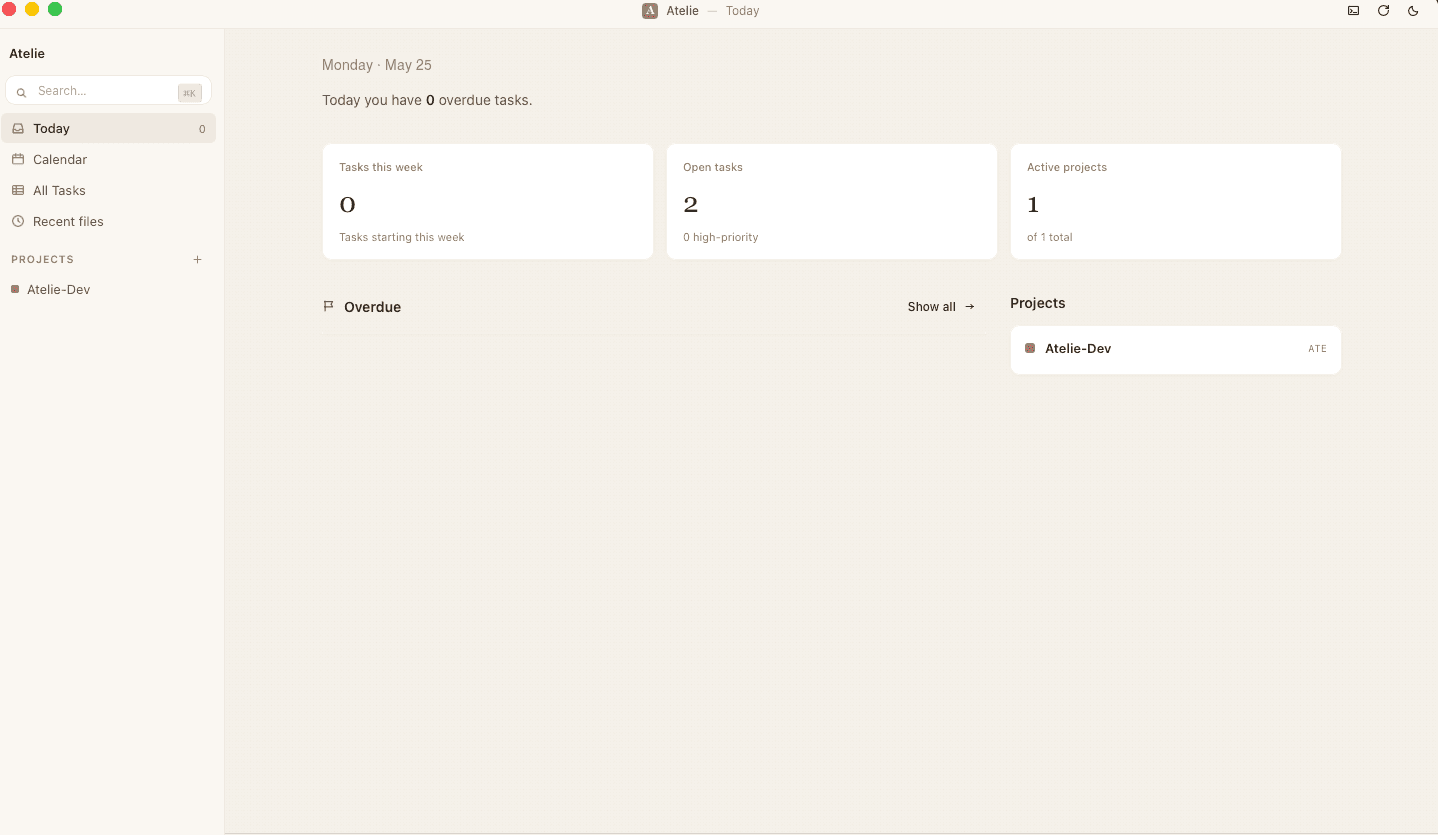
Views for everyday work
Kanban you can drag
Drag a card and the status writes straight back into the Markdown frontmatter. The board isn't a layer on top — it is the files.
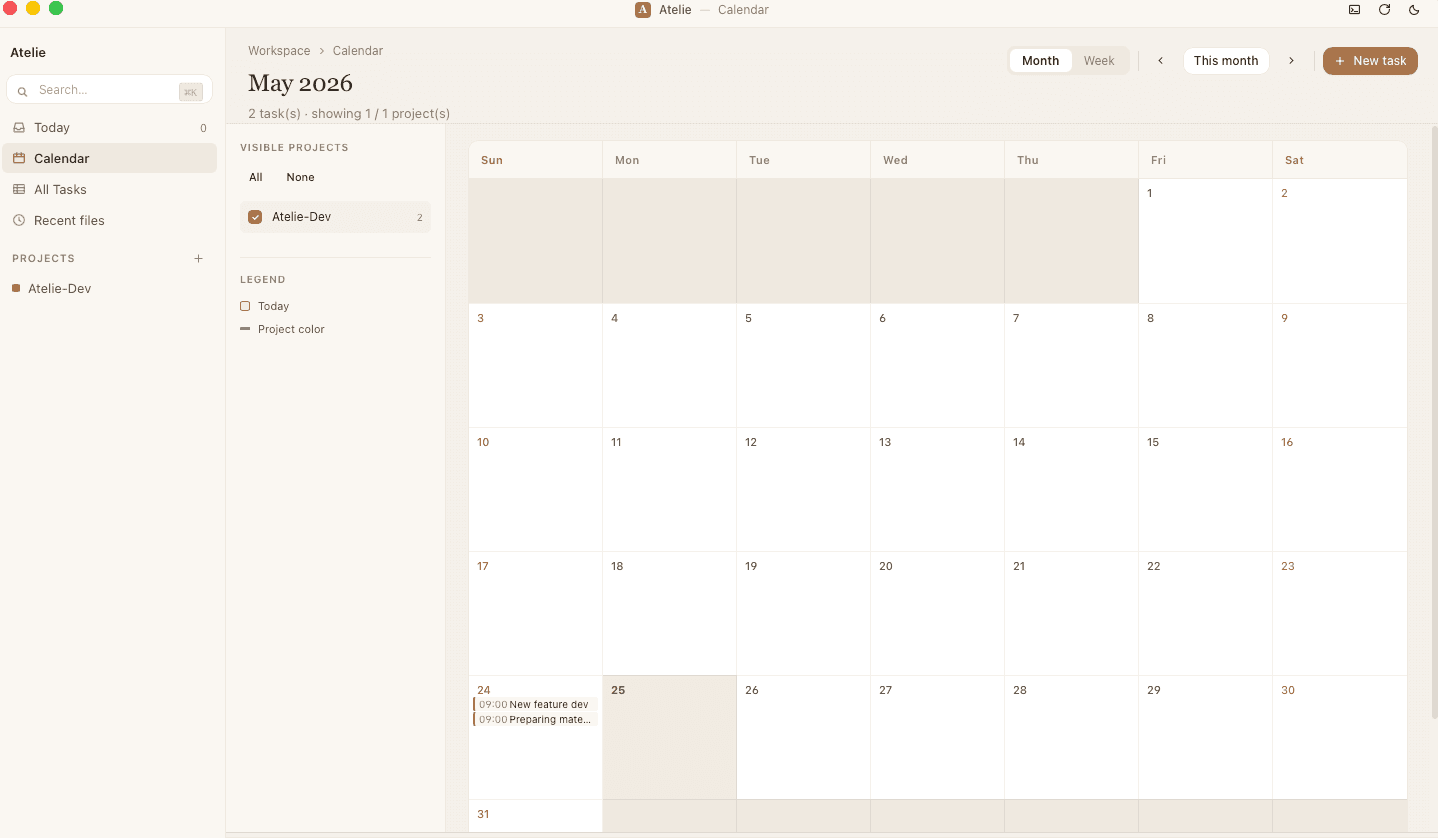
Deadlines at a glance
A month view built from frontmatter due dates, color-coded per project so overlapping deadlines are obvious.
Built like a developer tool
Full-text search
Fast full-text search powered by SQLite FTS5 trigram tokenizer — Japanese included.
File watching
Edits from external editors are picked up automatically — use Vim or VS Code on the same files.
Built-in terminal
Run commands right beside your notes, without leaving your project.
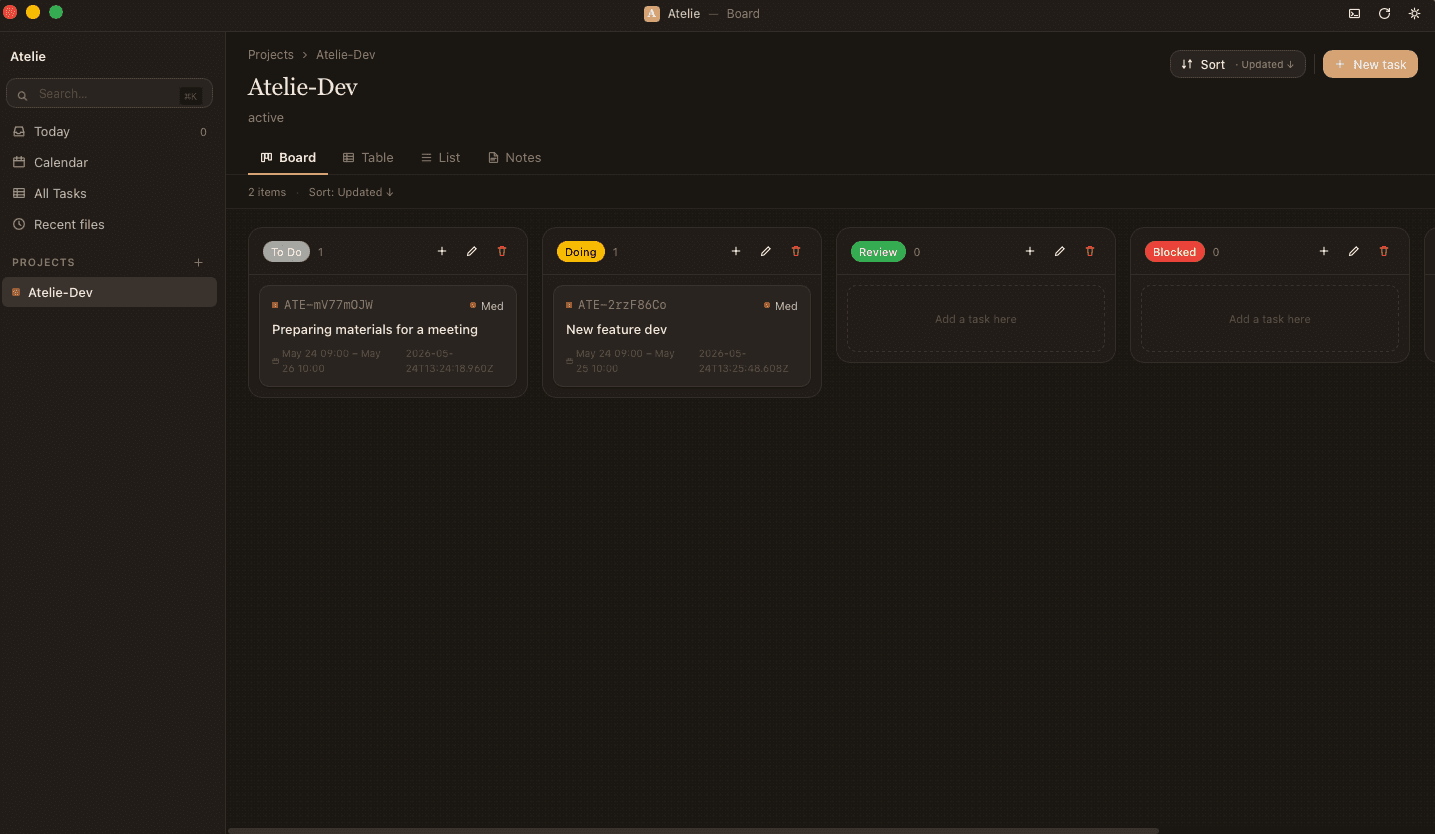
Dark mode
A deep-coffee dark theme that's easy on the eyes at night.
Only on your Mac
Nothing ever leaves your Mac.
Fully offline. No account required.
- •Notes and tasks live entirely on your Mac
- •No sign-up, no login
- •No tracking or analytics
- •Works exactly the same with no network connection
Markdown is the source of truth
Your data outlives the app.
Your data is just Markdown files under ~/Atelie/projects/, openable in any editor. Because they're plain files, you can version and back them up with your own git / gh — no lock-in.
Note: Atelie doesn't sync for you — the files are plain, so your own git just works.
---
id: t-001
project: atelie-dev
title: Fix product detail page design
status: doing
priority: high
due: 2026-04-29
tags: [frontend, design]
---

## Background

Reflect the feedback from [[2026-04-24-meeting]].

- [ ] Subtask 1
- [x] Subtask 2
A quiet workspace after dark.
A deep-coffee dark theme to support late, focused hours.
Requirements & install
Download
Download the latest .dmg from GitHub Releases and mount it.
Drag
Drag Atelie.app into your Applications folder.
Launch
Double-click to launch — then open it anytime from Launchpad or Spotlight.
- OS
- macOS 12 (Monterey) or later
- Architecture
- Apple Silicon / Intel (universal binary)
- Disk
- From 50MB (depends on note count)
Signed with Apple Developer ID, notarized and stapled — it opens with no Gatekeeper warning.
Having trouble launching? See the support page
Start with a workspace that stays yours.
A minute from download to your first note.
Download — free for macOSFree · macOS 12+ · Apple Silicon / Intel